
WebPDF has been updated to include support for saving a PDF from Safari.
In Safari, choose the share icon. Then tap on WebPDF. The page is saved as a PDF to WebPDF.
Source is available on GitHUB: https://github.com/dougdiego/WebPDF
Comments closed
WebPDF has been updated to include support for saving a PDF from Safari.
In Safari, choose the share icon. Then tap on WebPDF. The page is saved as a PDF to WebPDF.
Source is available on GitHUB: https://github.com/dougdiego/WebPDF
Comments closed
I needed an application that could create a PDF out of a webpage. I found a few apps on the AppStore, but none of them met my needs. I figured it would be a fun project and created WebPDF.
It’s a simple application that creates PDF’s out of webpages. The app saves the PDF, lets you view it and export it. It’s optimized for all iPhones (including the iPhone 6 and iPhone 6+) and the iPad.
I also made the source available on GitHUB: https://github.com/dougdiego/WebPDF
Comments closedPrior to Xcode 6, all new projects contained a prefix header. In Xcode 6 a prefix header is no longer included in the default project. Instead of using a prefix header you should put your imports in the files that need them. But in the case that you need one, you can still add one.
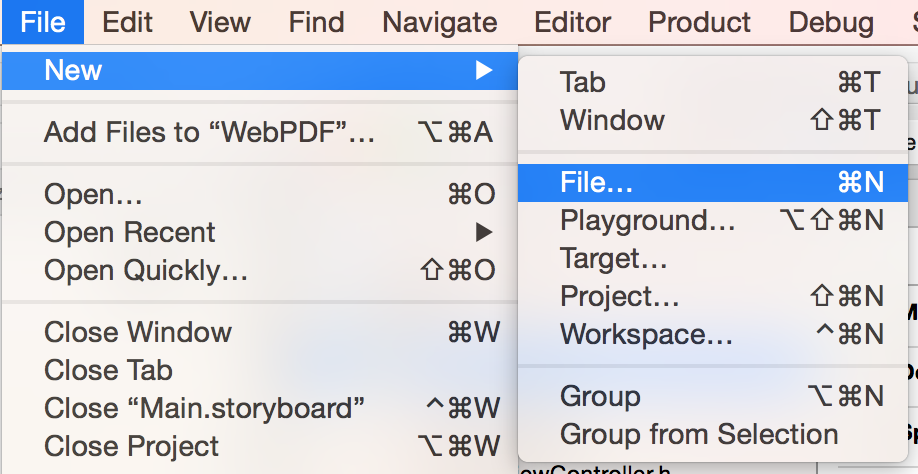
From the menu, select File > New > File…
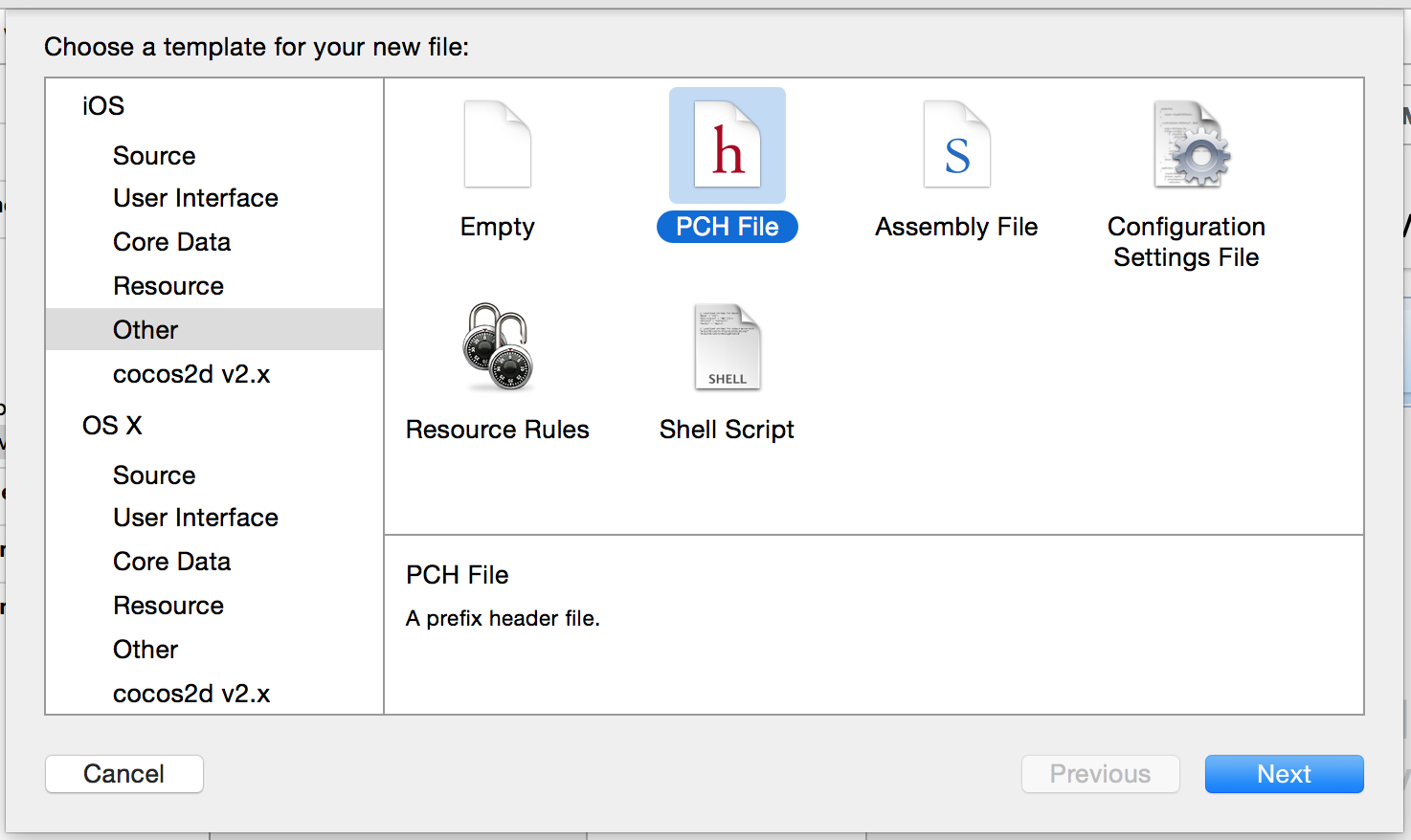
Choose iOS > Other > PCH File
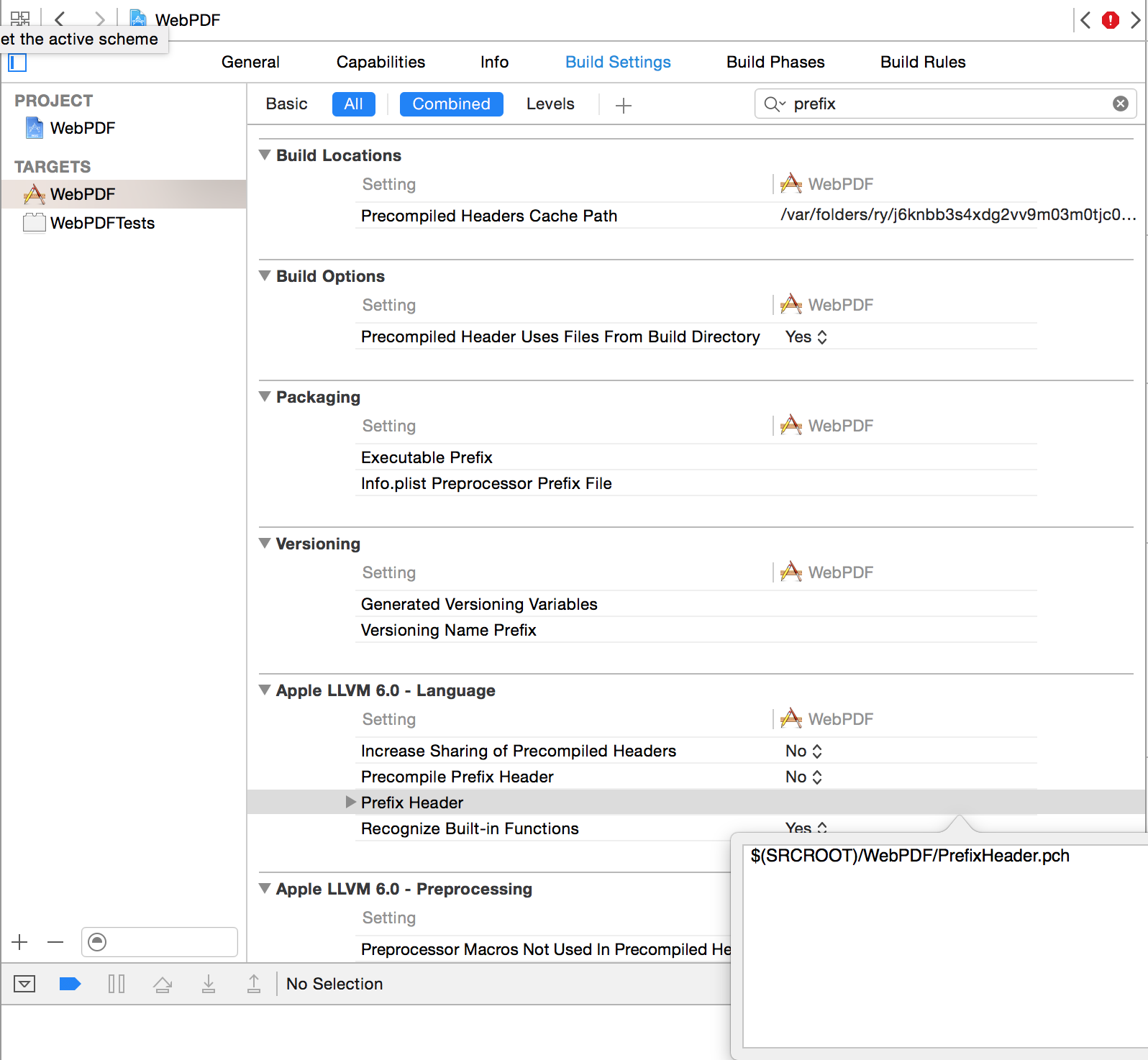
In the Build Settings, each for “prefix” to narrow down your choices. Under “Apple LLVM 6.0 – Language” find “Prefix Header”. Add “$(SRCROOT)/PrefixHeader.pch”. Make sure the path is correct. When you close the dialog, it shows the expanded path.
Comments closed
After updating to Xcode 6, I thought Apple removed the ability to create a category when creating a new file. I was wrong. They just moved it.
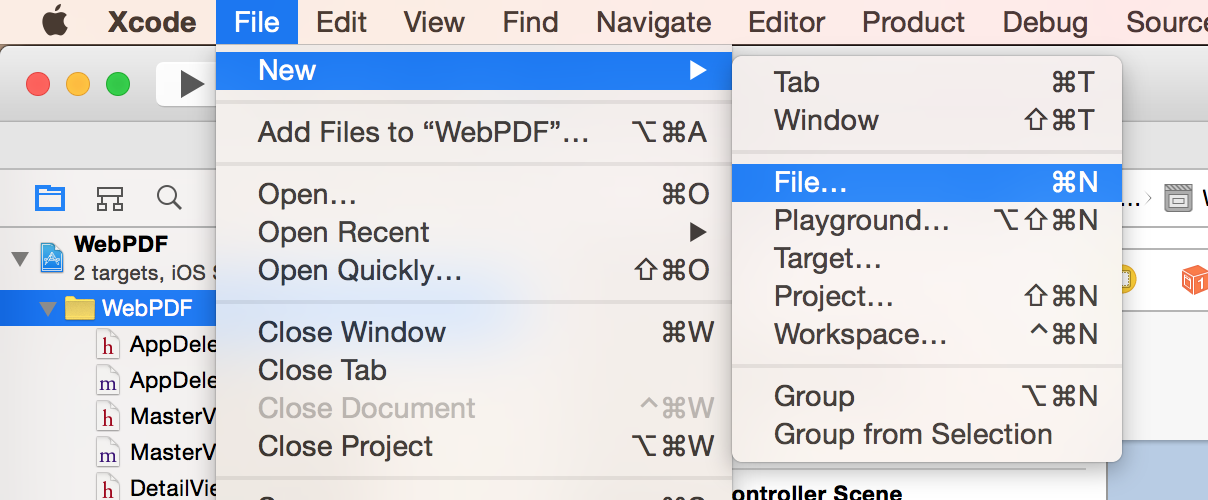
To create a category in Xcode 6, choose File > New > File
Then select iOS > Source > Objective-C File

Choose File Type: Category. Then enter you File name and the class you want to create a category for.

Here’s how to get at the main storyboard from inside your view controller.
UIStoryboard *storyboard = [UIStoryboard storyboardWithName:
[[NSBundle mainBundle].infoDictionary objectForKey:@"UIMainStoryboardFile"]
bundle:[NSBundle mainBundle]];
Most of the time you can just use self.storyboard. But if you are in a view controller that was not created by a storyboard, then self.storyboard will be nil.
Comments closedI’ve gotten this message “Unable to determine simulator device to boot.” a few times when trying to run my app in the iOS Simulator. 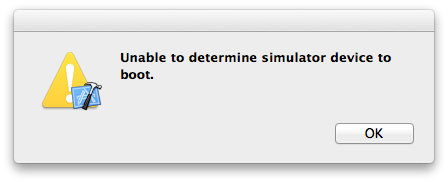 Each time it took me awhile to remember what it meant.
I’ve been working on updating an app to iOS8 and using Xcode 6. Occasionally I need to run the current version and I start up Xcode 5. When trying to run the app in the simulator I see this error.
The reason for the error is because the Xcode 6 simulator is already running and it doesn’t know which one to use. 
The solution is simple. Just quit both simulators and try again run again.
Comments closed
As an iOS developer, here are a few things I’d like to see at WWDC 2014
I’ve had this error a few times, so I figured I’d document the solution for the next time it occurred.
When doing a build in Xcode, I got the following error:
ld: library not found for -lPods
My project is setup to use cocoapods.
First make sure you are using MyProject.xcworkspace and not MyProject.xcodeproj
For me this was the case. But I realized that I just created a new configuration for “Ad Hoc” builds. To fix the problem I had to install the Podfile again with the command:
pod install
After running pod infall, open the project: MyProject.xcworkspace, clean your project and build. The error should go away.
Comments closedAddressBookFiller is a simple application which populates your address book with contacts. It is an updated version of my previous post.
This is useful when developing for the iOS and working on the emulator. On many occasions, I’ve spent quite a bit of time adding contacts to the emulator to test something. Then when I change emulator version, they all get erased. This is very frustrating. So I put together this simple application which allow you to programatically fill up your address book.
Currenly the address book is populated with U.S. Presidents. Values are set for:
* first name
* last name
* photo
* phone number
* birthday
* Address: street, city, state, zip
Source on Github: https://github.com/dougdiego/AddressBookFiller
Comments closedSource: https://github.com/dougdiego/MHTabBarController
I forked MHTabBarController, which is a custom tab bar controller for iOS 5. I forked it to accomplish two things.
To change the direction of the arrow, just set the pageIndicatorDirection variable like:
MHTabBarController *tabBarController = [[MHTabBarController alloc] init];
tabBarController.pageIndicatorDirection = PageIndicatorDirectionDown;
You can also easily modify the colors in MHTabBarController.m here:
// TAB Colors
#define SELECTED_TAB_COLOR UIColorFromRGB(0xCF785B)
#define SELECTED_TAB_TITLE_COLOR UIColorFromRGBWithAlpha(0xFFFFFF,0.5f)
#define DESELECTED_TAB_COLOR UIColorFromRGB(0xF5EECD)
#define DESELECTED_TAB_TITLE_COLOR UIColorFromRGB(0xAF553A)

